☰ home.allCategories
 EU | EN |
 home.welcomehome.signIn / home.register
0 home.cart
EU | EN | home.welcomehome.signIn / home.register
0 home.cart
EU | EN | 0 home.cart
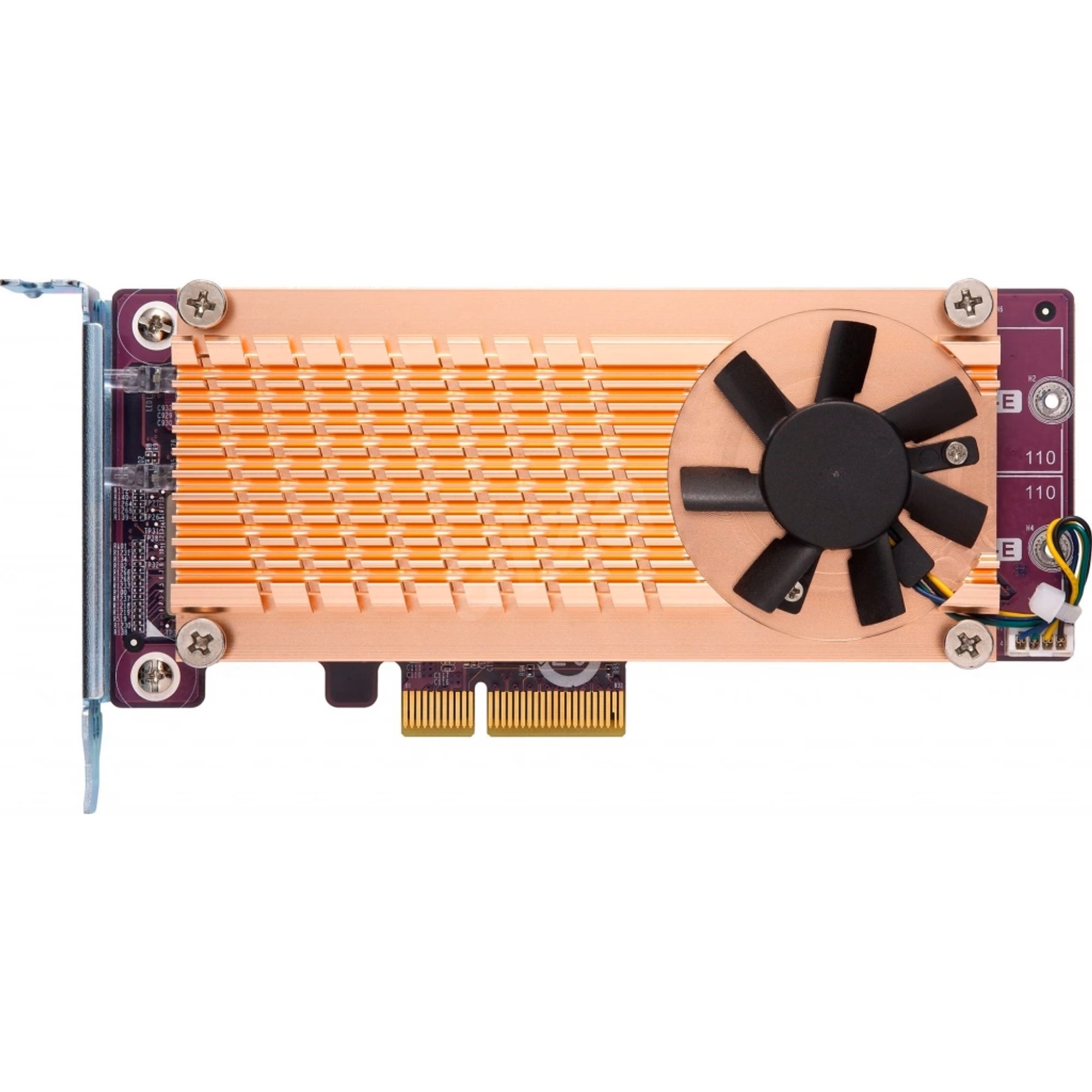
QNAP QM2-4P-384
BeyTechproduct.aboutProduct
product.sku
Czhe-Qnap384
product.category
PC Components & Replacement Parts
product.brand
Qnap
product.supplier
Beyston
product.weight
0.2kg
home.listPrice: €312.61
Andorra - €14
Quantity - 1
20 product.inStock
discountCoupon.discountCoupons
product.checkingViewers
product.otherOffersFromSellersOnBeyston
product.description
QNAP QM2‑4P‑384 Quad M.2 2280 PCIe Gen3 x8 NVMe SSD Expansion Card
The QNAP QM2‑4P‑384 is a high‑performance PCIe expansion card designed to add four M.2 NVMe SSD slots (M.2 2280) into a compatible PC, workstation or NAS system. With a PCIe Gen3 x8 host interface and active cooling (heatsink + fan), it allows for SSD caching, SSD volume creation or tiered storage with no sacrifice of drive bay space. :contentReference[oaicite:1]{index=1}
Key Features
- Four NVMe slots: 4 × M.2 2280 PCIe (Gen3 x4) NVMe SSD slots. :contentReference[oaicite:2]{index=2}
- Host interface: PCIe Gen3 x8 for the expansion card. :contentReference[oaicite:3]{index=3}
- Cooling solution: Built‑in heat sink plus smart fan for thermal control and sustained performance. :contentReference[oaicite:4]{index=4}
- Bracket support: Low‑profile by default, includes flat low‑profile and full‑height brackets. :contentReference[oaicite:5]{index=5}
- Applications: Ideal for SSD caching, Qtier tiering, high‑IOPS workloads (e.g., editing, VMs), especially in NAS or PC/Server systems. :contentReference[oaicite:6]{index=6}
Specifications (Selected)
- Slots: 4 × M.2 2280 NVMe (PCIe Gen3 x4 each) :contentReference[oaicite:7]{index=7}
- Host Bus: PCIe Gen3 x8 :contentReference[oaicite:8]{index=8}
- Dimensions: 204.95 × 68.9 × 20.6 mm (8.07″ × 2.71″ × 0.81″) :contentReference[oaicite:9]{index=9}
- Form Factor: Low‑profile card with multiple bracket options. :contentReference[oaicite:10]{index=10}
- Cooling: Active cooling with heatsink + fan. :contentReference[oaicite:11]{index=11}
Why Choose the QM2‑4P‑384?
- Allows substantial performance uplift by adding four NVMe SSDs in systems where standard drive bays are limited or in use.
- Great for caching, tiered storage or high‑throughput/low‑latency workloads—especially useful in NAS environments where NVMe caching can improve random I/O dramatically.
- Supports compact installation (low‑profile bracket options) and includes thermal management to sustain NVMe performance.
Compatibility & Considerations
- Ensure your system has a free PCIe slot that supports at least PCIe Gen3 x8 to take full advantage; using fewer lanes may bottleneck performance. :contentReference[oaicite:12]{index=12}
- Check the M.2 SSD compatibility list from QNAP (and your system) as some NVMe models or firmware versions may not be supported. :contentReference[oaicite:13]{index=13}
- In NAS setups, verify the PCIe slot specification and zone requirements (e.g., some TS‑x77 or TVS‑x82(T) series may restrict QM2 card to certain slots). :contentReference[oaicite:14]{index=14}
- Cooling and airflow are important—NVMe SSDs produce heat under sustained load, and card's built‑in fan should be unobstructed. :contentReference[oaicite:15]{index=15}
Keywords
QNAP QM2‑4P‑384, quad M.2 NVMe expansion card, PCIe Gen3 x8 SSD card, NAS SSD caching card, M.2 2280 NVMe SSD card