
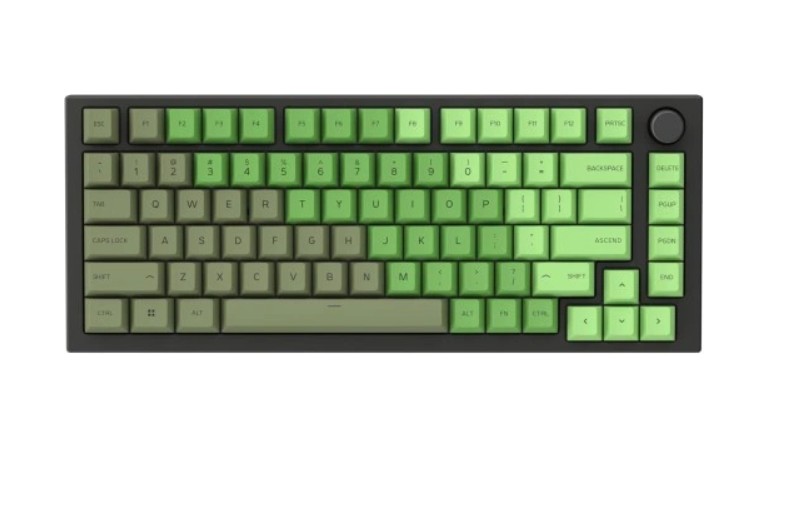
114-Piece Olive Keycaps for Mechanical Keyboards – Glorious PC Gaming
Upgrade your mechanical keyboard with the Glorious PC Gaming 114-piece olive keycap set. Made from durable ABS material with double-shot legends for lasting visibility and style, these keycaps are compatible with most MX-style mechanical switches, offering full coverage for standard 104/105-key layouts.
Short Description
114-piece olive keycap set from Glorious PC Gaming, designed for mechanical keyboards with MX-style switches. Full coverage for standard layouts, durable ABS material, double-shot legends, and elegant olive color for a premium look and feel.
Key Features
- 114-piece full keycap set — covers standard 104/105-key mechanical keyboards.
- Durable ABS plastic construction for long-lasting performance.
- Double-shot legends — legends never fade, ensuring longevity and readability.
- Compatible with Cherry MX-style switches, including Gateron, Kailh, and others.
- Elegant olive color — adds a stylish, unique look to your keyboard setup.
- Easy to install and remove — fits securely on key switches without wobbling.
Benefits
- Customizes your mechanical keyboard with a premium aesthetic.
- Improved typing experience with tactile, uniform keycaps.
- Durable and fade-resistant — maintains clarity of legends over time.
- Compatible with a wide range of MX-style keyboards, allowing flexible upgrades.
Technical Specifications
- Keycap material: ABS plastic
- Legends: Double-shot injection molding
- Compatibility: MX-style mechanical switches (Cherry MX, Gateron, Kailh, etc.)
- Layout coverage: Standard full-size 104/105-key keyboards
- Color: Olive green
- Quantity: 114 keycaps
- Profile: OEM profile
Package Contents
- 114 × Olive keycaps (full set)
- Keycap puller tool for easy installation/removal
- User guide / installation instructions
Usage & Tips
- Turn off your keyboard before replacing keycaps to avoid accidental keystrokes.
- Use the included keycap puller to remove old keycaps safely.
- Align each keycap properly with the switch stem and press down until it clicks into place.
- Clean keycaps regularly to maintain aesthetic appearance and performance.
Care & Maintenance
- Keep keycaps clean using a soft brush or damp cloth; avoid harsh chemicals.
- Do not expose keycaps to direct sunlight for prolonged periods to prevent discoloration.
- Ensure keycaps are securely seated to avoid wobbling or accidental damage.
Warranty & Support
Comes with a limited manufacturer warranty. For driver downloads, replacement parts, or additional support, visit Glorious PC Gaming Official Support.