
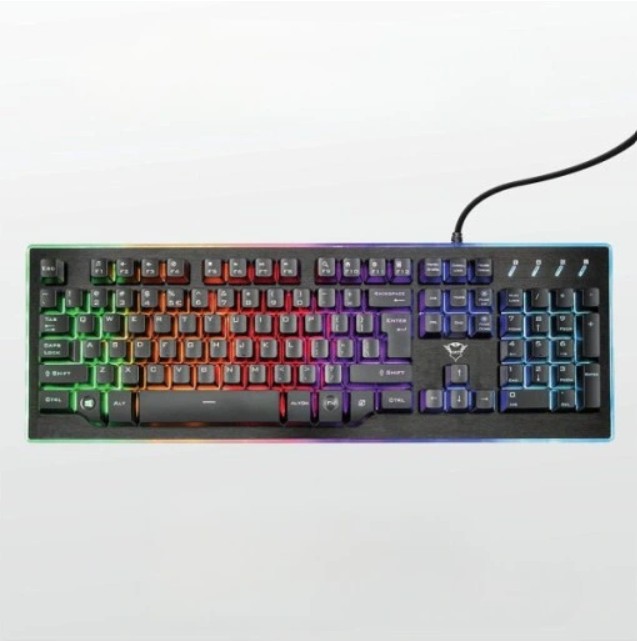
Trust GXT 860 Thura Semi-Mechanical Gaming Keyboard
The Trust GXT 860 Thura is a semi-mechanical gaming keyboard that blends the tactile feel of mechanical switches with the quiet and affordability of membrane designs. Equipped with RGB lighting, programmable macro keys and dedicated media controls, it’s built for gamers who want performance and style without breaking the bank.
Short Description
Semi-mechanical gaming keyboard with full RGB backlighting, multimedia keys, anti-ghosting support and durable build. Ideal for both competitive gaming and everyday use.
Key Features
- Semi-mechanical switches: tactile feedback similar to mechanical switches with reduced noise.
- Custom RGB lighting: full backlight with multiple effects and brightness settings.
- Programmable macros: assign macros to dedicated keys for faster in-game actions.
- Dedicated media keys: quick control over volume, playback and mute.
- Anti-ghosting / key rollover: reliable simultaneous key presses for gaming.
- Sturdy construction: reinforced frame and textured keycaps for long-term use.
Benefits
- Get near-mechanical responsiveness at a lower price point.
- Personalize lighting and macros to fit your setup and playstyle.
- Dedicated controls make multimedia and communication easier while gaming.
- Durable build and anti-ghosting keep inputs accurate during intense sessions.
Technical Specifications
- Type: Semi-mechanical gaming keyboard
- Backlight: Full RGB, multiple lighting modes and brightness control
- Switches: Semi-mechanical (tactile membrane-based)
- Connectivity: Wired USB (gold-plated USB connector)
- Key rollover: Anti-ghosting (multi-key support, exact rollover depends on firmware)
- Keycaps: Textured ABS keycaps
- Extra buttons: Dedicated media keys and programmable macro keys
- Compatibility: Windows (macOS support for basic functions)
- Dimensions: Approx. 450 × 160 × 35 mm
- Weight: Approx. 800–1000 g (model variations may apply)
Package Contents
- 1 × Trust GXT 860 Thura keyboard
- Quick start guide and warranty card
Usage & Setup
- Connect the keyboard to an available USB port — plug & play for standard functions.
- Use included software (if provided) to program macros and fully customize RGB effects.
- For optimal performance, keep firmware and software up to date (check Trust Gaming support).
Warranty & Support
Covered by Trust Gaming’s limited manufacturer warranty. For driver downloads, troubleshooting and support, visit Trust’s official support pages or contact your retailer.