 EU | EN | EU | EN | EU | EN |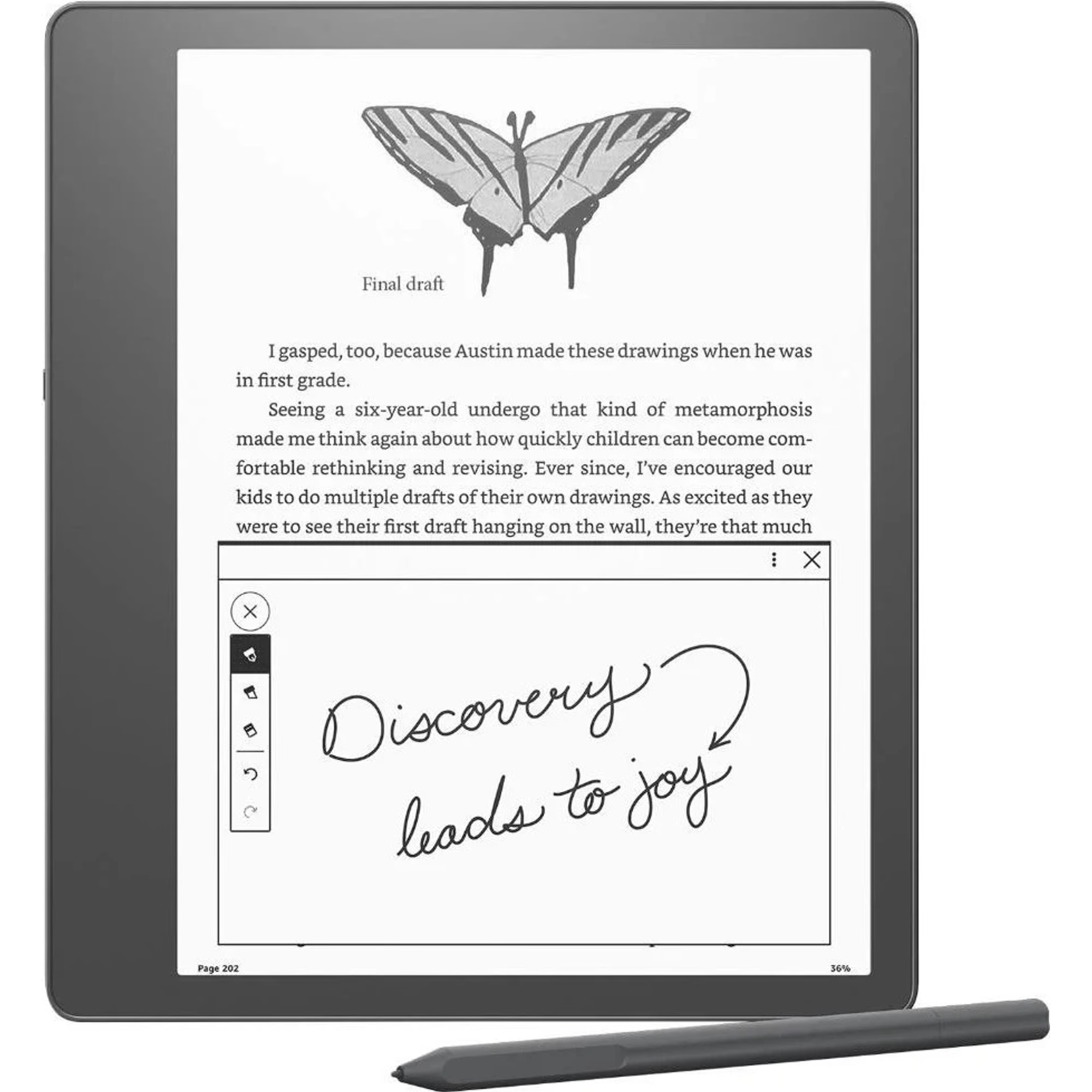
Amazon Kindle Scribe
BeyTechproduct.aboutProduct
product.sku
Czhe-Scribe
product.category
Laptops, Tablets & E-Readers
product.brand
Amazon Kindle
product.supplier
Beyston
product.weight
0.5kg
home.listPrice: €581.83
20 product.inStock
discountCoupon.discountCoupons
product.otherOffersFromSellersOnBeyston
product.description
Amazon Kindle Scribe (2024)
The Kindle Scribe is Amazon’s large‑screen e‑reader + note‑taking hybrid. It combines a 10.2‑inch 300 ppi Paperwhite display with a pen (Premium Pen) for writing directly in books, on documents, and in its built‑in notebook. Ideal for users who want to read and write on one device. :contentReference[oaicite:0]{index=0}
Main Specifications
- Display: 10.2‑inch glare‑free Paperwhite panel, 300 ppi resolution. :contentReference[oaicite:1]{index=1}
- Front Light: Auto‑adjusting front light plus adjustable warm light for comfortable reading/writing in varied lighting. :contentReference[oaicite:2]{index=2}
- Pen / Stylus: Premium Pen included — no charging needed; has eraser, shortcut button; feels like writing on paper. :contentReference[oaicite:3]{index=3}
- Storage options: 16 GB, 32 GB, or 64 GB. :contentReference[oaicite:4]{index=4}
- Weight & Dimensions: Approx. 433 g; size ~196 × 230 × 5.8 mm. :contentReference[oaicite:5]{index=5}
- Battery Life: Up to ~12 weeks of reading (30 mins/day, WiFi off, moderate light); ~3 weeks of writing under similar conditions. :contentReference[oaicite:6]{index=6}
- File / Document Support: Native: PDF, Kindle formats (AZW, AZW3, TXT, unprotected MOBI etc.); conversion supported for EPUB, DOCX, HTML, etc. :contentReference[oaicite:7]{index=7}
- Connectivity: Wi‑Fi (2.4 & 5 GHz), USB‑C charging. :contentReference[oaicite:8]{index=8}
- Other Features: Built‑in notebook, Active Canvas (takes notes in books and documents with margins that can expand/collapse), note‑to‑text conversion, notebook summaries via AI tools, sticky notes, templates (journals / to‑do lists). :contentReference[oaicite:9]{index=9}
Advantages
- Large and sharp display makes reading and annotating comfortable, especially for PDFs or textbooks. :contentReference[oaicite:10]{index=10}
- Pen feels good; writing experience considered natural. :contentReference[oaicite:11]{index=11}
- Great battery life for reading. :contentReference[oaicite:12]{index=12}
- Good tools for note organization: notebooks, templates, summaries. :contentReference[oaicite:13]{index=13}
- Auto‑margin adjustments when writing in books (Active Canvas) so notes integrate well. :contentReference[oaicite:14]{index=14}
Limitations / Things to Consider
- Writing heavily (long sessions with pen, large notes, use of light) reduces battery significantly. :contentReference[oaicite:15]{index=15}
- Not the lightest / smallest device — 10.2‑inch display and ~433g make it more bulky than 6‑ or 7‑inch readers. :contentReference[oaicite:16]{index=16}
- Some users note limitations in pdf conversion, or that annotation features are less flexible than in specialized tablets or note‑taking devices. :contentReference[oaicite:17]{index=17}
- Costs are higher, especially for larger storage versions. :contentReference[oaicite:18]{index=18}
- The device is somewhat within Amazon’s ecosystem — some formats need conversion; limited “apps”, no distractions like social media. If you want that, might need tablet. :contentReference[oaicite:19]{index=19}
Conclusion
The Kindle Scribe is a compelling device if you want to combine reading and note‑taking. It does well for books, documents, journaling, and marking up PDFs, with tools to organize and refine handwritten notes. If your work involves a lot of reading + writing, and you desire a single device rather than separate tablet + notebook, this is a strong option. But if portability, app flexibility, or lowest cost are top priorities, you might consider smaller Kindle models or other note‑focused devices.
Keywords
Kindle Scribe, Amazon, 10.2‑inch, e‑ink Paperwhite, writing, note taking, Active Canvas, Premium Pen, notebooks, 300 ppi, large Kindle, e‑reader + pen