 EU | EN | EU | EN | EU | EN |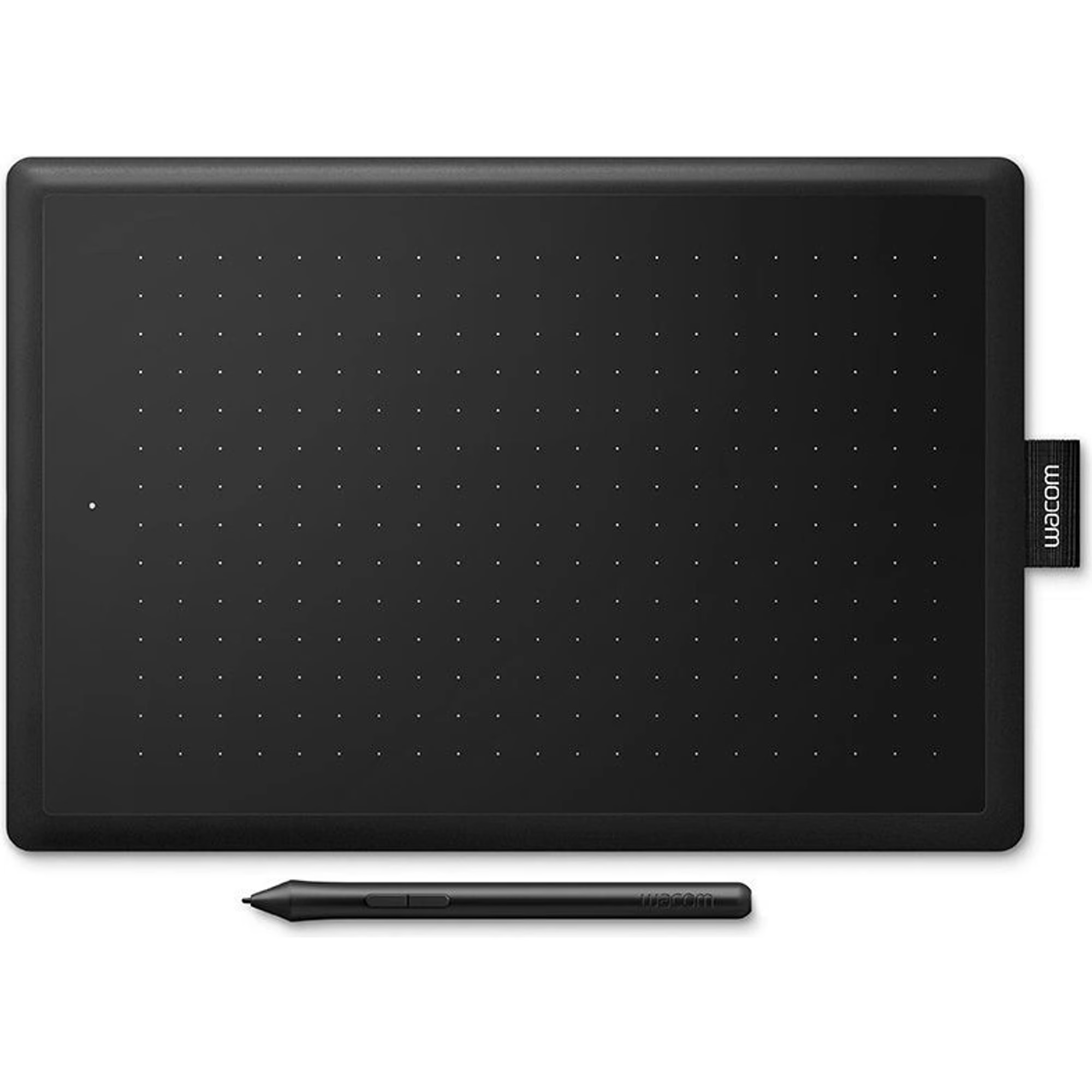
Wacom One M
BeyTechproduct.aboutProduct
product.sku
Czhe-Wacom
product.category
Laptops, Tablets & E-Readers
product.brand
Wacom
product.supplier
Beyston
product.weight
0.4kg
home.listPrice: €218.47
20 product.inStock
discountCoupon.discountCoupons
product.otherOffersFromSellersOnBeyston
product.description
Wacom One M (Medium) Pen Tablet
The Wacom One M is a medium‑sized pen tablet designed for creativity, note‑taking, and general digital drawing workflows. With a sizeable active area, a battery‑free pen with tilt support and 4,096 pressure levels, plus USB‑C and Bluetooth connectivity, it’s aimed at creatives and students looking for flexibility.
Key Specifications
- Active Area: 8.5″ × 5.3″ (216 × 135 mm) :contentReference[oaicite:1]{index=1}
- Overall Dimensions: Approx. 252 × 181 × 8 mm :contentReference[oaicite:2]{index=2}
- Weight: ~350 g (0.76 lb) :contentReference[oaicite:3]{index=3}
- Pen Technology: Battery‑free EMR (electromagnetic resonance) pen with tilt support (~60°) :contentReference[oaicite:4]{index=4}
- Pressure Sensitivity: 4,096 levels :contentReference[oaicite:5]{index=5}
- Resolution (Pen): 2,540 lpi (lines per inch) :contentReference[oaicite:6]{index=6}
- Connectivity: USB‑C cable included; Bluetooth 5.1 wireless connectivity supported :contentReference[oaicite:7]{index=7}
- Battery & Wireless Mode: Built‑in Li‑ion battery for tablet’s wireless mode, up to ~15 hours of use, recharge ~3.5 hours :contentReference[oaicite:8]{index=8}
- Compatibility: Windows 10 or later, macOS 11 or later, Android 8.0+; some ChromeOS support :contentReference[oaicite:9]{index=9}
- Multi‑Touch: None (no touch input) :contentReference[oaicite:10]{index=10}
Main Features & Highlights
- Large medium size active area—8.5″ × 5.3″ gives more space than many entry‑tablets for drawing or note‑taking.
- Battery‑free pen gives a natural “pen on paper” feel and no need to charge the pen itself.
- Tilt support (~60°) allows more natural drawing and shading effects. :contentReference[oaicite:11]{index=11}
- Wireless (Bluetooth) + wired (USB‑C) connection gives flexibility of setup. You can use it with cable or go wireless. :contentReference[oaicite:12]{index=12}
- Compatible across multiple platforms (Windows, Mac, Android, Chromebook) which adds versatility especially for students or multi‑device users. :contentReference[oaicite:13]{index=13}
Considerations / Potential Limitations
- No multi‑touch support—so you cannot pinch/zoom with fingers directly on the tablet surface. You’ll rely on pen + software shortcuts. :contentReference[oaicite:14]{index=14}
- Lack of many shortcut buttons (ExpressKeys) on the tablet itself—some users may miss having more physical controls for shortcuts. :contentReference[oaicite:15]{index=15}
- Although wireless mode is supported, battery life (~15 hours) may be less if used heavily; and wireless may have some minor latency compared to wired. :contentReference[oaicite:16]{index=16}
- Not a display tablet (i.e., it doesn’t have a built‑in screen)—you draw on the tablet while viewing the computer monitor. If you want a “screen” tablet (draw on directly), you’d need a pen display instead. Some users confused this. :contentReference[oaicite:17]{index=17}
Conclusion
The Wacom One M is a strong option for creatives, students, or anyone wanting a mid‑sized pen tablet for drawing, design, annotation, or note‑taking. Its large active area, high pen sensitivity, and wireless capability make it a more premium choice than many entry‑level models, yet it remains relatively accessible. If you don’t require touch input or a built‑in display and you’re comfortable working with a connected monitor, this tablet offers excellent value. However, if you prefer drawing directly on screen or want many physical shortcut keys, you might consider stepping up to a pen display or a tablet with ExpressKeys.
Keywords
Wacom One M, medium pen tablet, 8.5×5.3 active area, battery‑free pen, 4096 pressure levels, Bluetooth 5.1 pen tablet, creative pen tablet, Wacom One series