 EU | EN | EU | EN | EU | EN |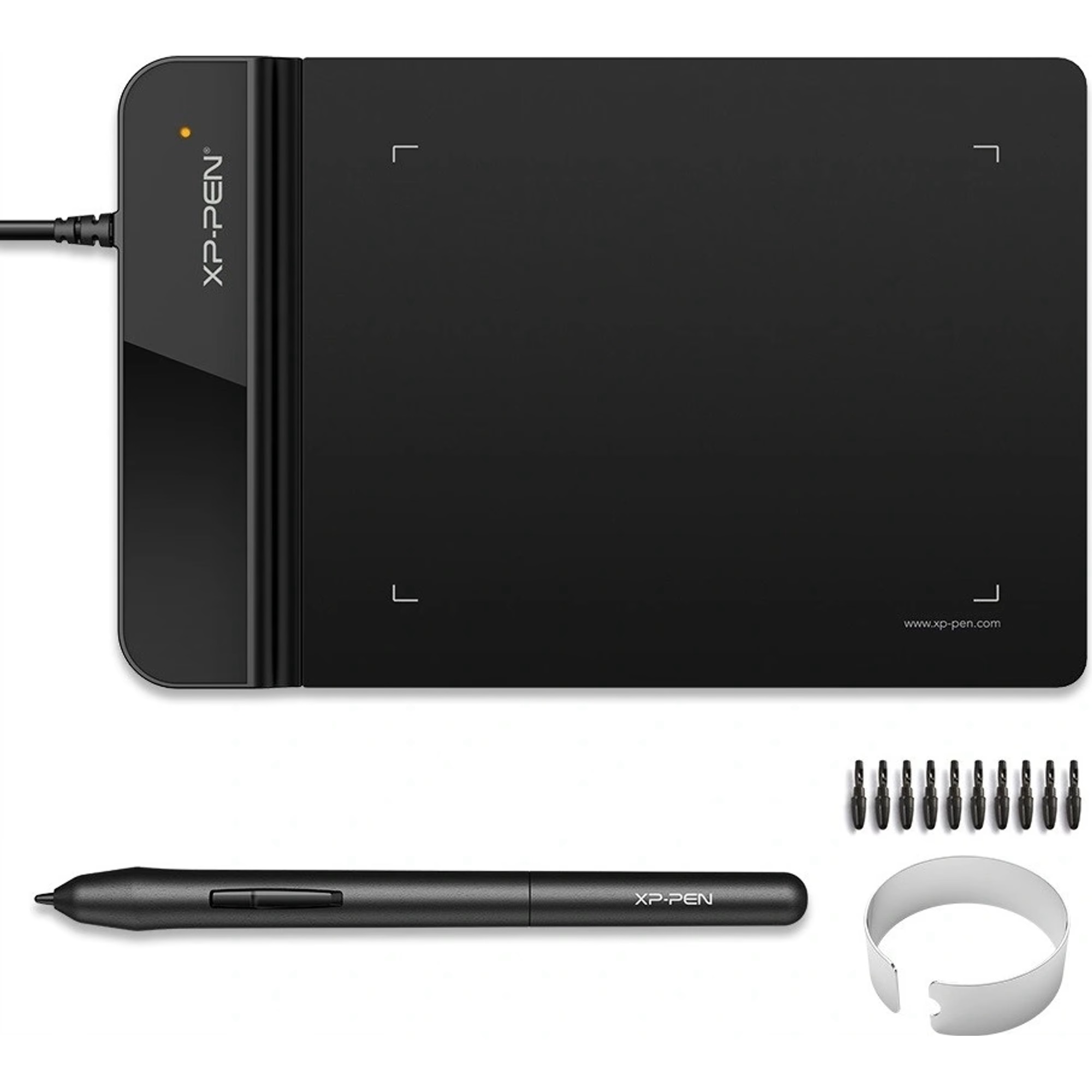
XP-PEN Star G430S
BeyTechproduct.aboutProduct
product.sku
Czhe-StarG430S
product.category
Laptops, Tablets & E-Readers
product.brand
XP-PEN
product.supplier
Beyston
product.weight
0.2kg
home.listPrice: €56.50
20 product.inStock
discountCoupon.discountCoupons
product.otherOffersFromSellersOnBeyston
product.description
XP‑PEN Star G430S
The XP‑PEN Star G430S is a compact and ultra‑thin pen tablet designed for drawing, digital signatures, 2D creative workflows and even gaming (e.g., OSU!). With a 4″×3″ active area and a battery‑free stylus, it offers a highly portable solution for artists, students and hobbyists.
Key Specifications
- Active area: 4″ × 3″ (approx. 101 × 76 mm) :contentReference[oaicite:1]{index=1}
- Thickness: Approx. 2 mm for the tablet body :contentReference[oaicite:2]{index=2}
- Pen pressure sensitivity: 8,192 levels :contentReference[oaicite:3]{index=3}
- Resolution (tablet sensor): 5,080 LPI (lines‑per‑inch) :contentReference[oaicite:4]{index=4}
- Compatibility: Windows 7/8/10/11, macOS 10.10+, and many Linux distributions :contentReference[oaicite:5]{index=5}
- Stylus: Battery‑free P01 or equivalent passive pen — no charging required :contentReference[oaicite:6]{index=6}
- Connection: USB wired interface :contentReference[oaicite:7]{index=7}
Highlights & Strengths
- Ultra‑portable and minimal footprint: With a very small active area and thin profile, the Star G430S is ideal for small desks, mobile setups, or even as a secondary drawing pad.
- High pen pressure and resolution for the size: 8,192 pressure levels and 5,080 LPI sensor mean you’re getting serious input fidelity even in a small form‑factor.
- Battery‑free stylus: No need to charge the stylus — resets one less thing to worry about.
- Left‑hand & right‑hand usable: The tablet supports orientation switch so it accommodates both left‑ and right‑hand users. :contentReference[oaicite:8]{index=8}
- Affordable entry‑level price: For new digital artists or those with limited space/budget, this tablet offers competitive specifications. :contentReference[oaicite:9]{index=9}
Considerations & Potential Limitations
- Small active area: The 4″×3″ surface is quite compact — for detailed illustration, large canvases, or multi‑monitor workflows you may feel constrained in movement and pen mapping scale.
- Lack of shortcut buttons and advanced controls: Unlike larger tablets, this model has no (or very few) express keys or dials, which may slow down workflows relying heavily on shortcuts.
- Driver & compatibility quirks: Users have reported issues such as pen pressure stuck at max, lag or cursor not tracking properly after driver updates. :contentReference[oaicite:10]{index=10}
- Not a display tablet: You draw on the pad while looking at your monitor — if you prefer drawing directly on screen you’ll need a pen display rather than a pen tablet.
Conclusion
The XP‑PEN Star G430S is a strong choice for artists, students, or hobbyists who want a compact, highly portable drawing tablet with strong specifications at an affordable price. It is especially suitable for tasks like sketching, digital signatures, OSU gaming, or working on a laptop with limited desk space. However, if your workflow involves large drawings, multiple monitors, heavy layering or shortcut‑heavy workflows, it might make sense to consider a larger tablet with more features and surface area.
Keywords
XP‑PEN Star G430S, pen tablet, graphic tablet, 4×3 inch active area, 8192 pressure levels, battery‑free stylus, drawing tablet budget, OSU gaming tablet, XP‑PEN entry tablet