 EU | EN | EU | EN | EU | EN |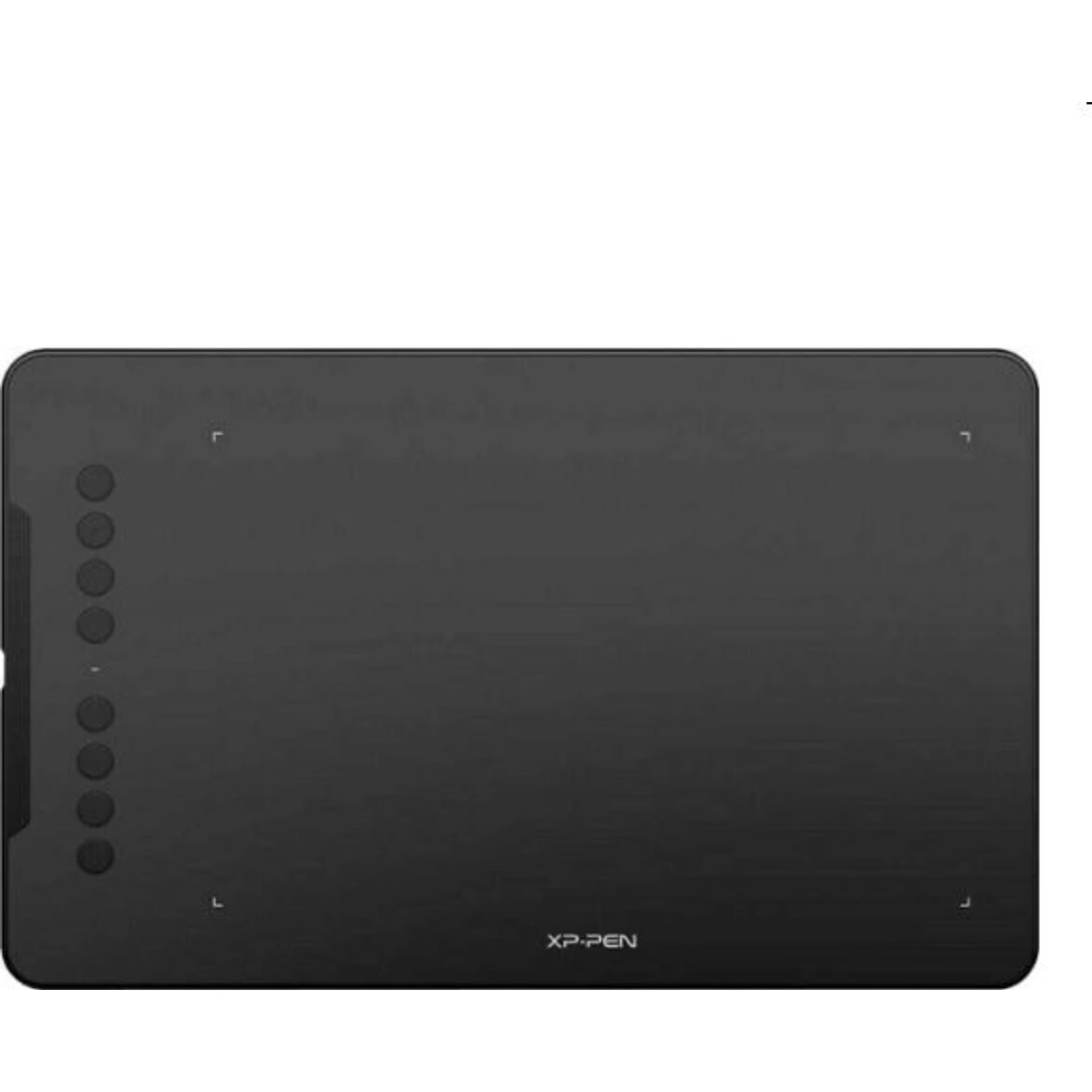
XP-Pen Deco 01 v3
BeyTechproduct.aboutProduct
product.sku
Czhe-Deco01
product.category
Laptops, Tablets & E-Readers
product.brand
XP-PEN
product.supplier
Beyston
product.weight
0.6kg
home.listPrice: €102.80
20 product.inStock
discountCoupon.discountCoupons
product.otherOffersFromSellersOnBeyston
product.description
XP‑Pen Deco 01 V3
The XP‑Pen Deco 01 V3 is a feature‑rich pen tablet designed for digital artists, illustrators, students and creative professionals. It offers a large working area, high‑sensitivity stylus, and cross‑platform compatibility — making it a strong value choice for drawing, design, note‑taking and more.
Key Specifications
- Active Area: 10″ × 6.25″ (approx. 254 × 158 mm) working surface. :contentReference[oaicite:1]{index=1}
- Pen Pressure Sensitivity: Up to 16,384 levels of pressure sensitivity. :contentReference[oaicite:2]{index=2}
- Stylus Tilt Support: Supports up to ~60° tilt for shading and angled strokes. :contentReference[oaicite:3]{index=3}
- Resolution (Tablet): 5,080 LPI (lines per inch) for the sensor. :contentReference[oaicite:4]{index=4}
- Thickness: Approx. 8 mm — ultra‑thin design. :contentReference[oaicite:5]{index=5}
- Express Keys: 8 customizable round shortcut buttons. :contentReference[oaicite:6]{index=6}
- Connectivity / Interface: USB‑C connection, supports Android (via OTG), Windows, macOS, Chrome OS, Linux. :contentReference[oaicite:7]{index=7}
- Stylus Type: Battery‑free EMR pen (no charging needed). :contentReference[oaicite:8]{index=8}
Highlights & Features
- Large drawing surface (10″ × 6.25″) gives plenty of space for comfortable strokes and full‑canvas work.
- High pen sensitivity (16 K levels) + tilt support = more natural shading, smooth lines and better control.
- Ultra‑thin body (8 mm) makes it portable and ideal for taking with you. :contentReference[oaicite:9]{index=9}
- Eight express keys allow you to set up workflows, shortcuts, and improve efficiency in your favourite software.
- Broad platform compatibility — works not only on Windows/macOS but also supports Android and ChromeOS, enabling creative use on tablets/phones with the right setup. :contentReference[oaicite:10]{index=10}
Considerations / Limitations
- While 16,384 pressure levels sound impressive, many users report that above ~8,000 the difference becomes minimal in everyday drawing; the “real‑world” improvement may be subtle. :contentReference[oaicite:11]{index=11}
- Some users have reported issues with high initial activation force (IAF) of the stylus requiring somewhat heavier press to register. :contentReference[oaicite:12]{index=12}
- No wireless/Bluetooth version in the base model — you’ll still need a wired connection for full use (though Android OTG is supported).
- It is a pen‑tablet (you draw on the pad while looking at a separate screen) rather than a pen‑display (drawing directly on the screen). If you prefer screen‑drawing, you might consider a display model instead.
Conclusion
The XP‑Pen Deco 01 V3 offers excellent value for its feature package: a large 10″×6.25″ surface, top‑tier pen sensitivity, customizable shortcuts, and broad compatibility make it a very compelling choice for those who draw frequently, design, annotate or teach. If you’re on a budget yet want a capable tablet, this hits many of the right marks. That said, if you prioritise super‑light stylus activation, wireless freedom, or drawing directly on screen, you may want to compare to slightly higher‑end or pen‑display models.
Keywords
XP‑Pen Deco 01 V3, drawing tablet, 10×6.25 inch active area, 16K pressure levels, tilt pen 60°, 8 express keys, USB‑C pen tablet, Android compatible drawing tablet, XP‑Pen entry professional tablet