 EU | EN | EU | EN | EU | EN |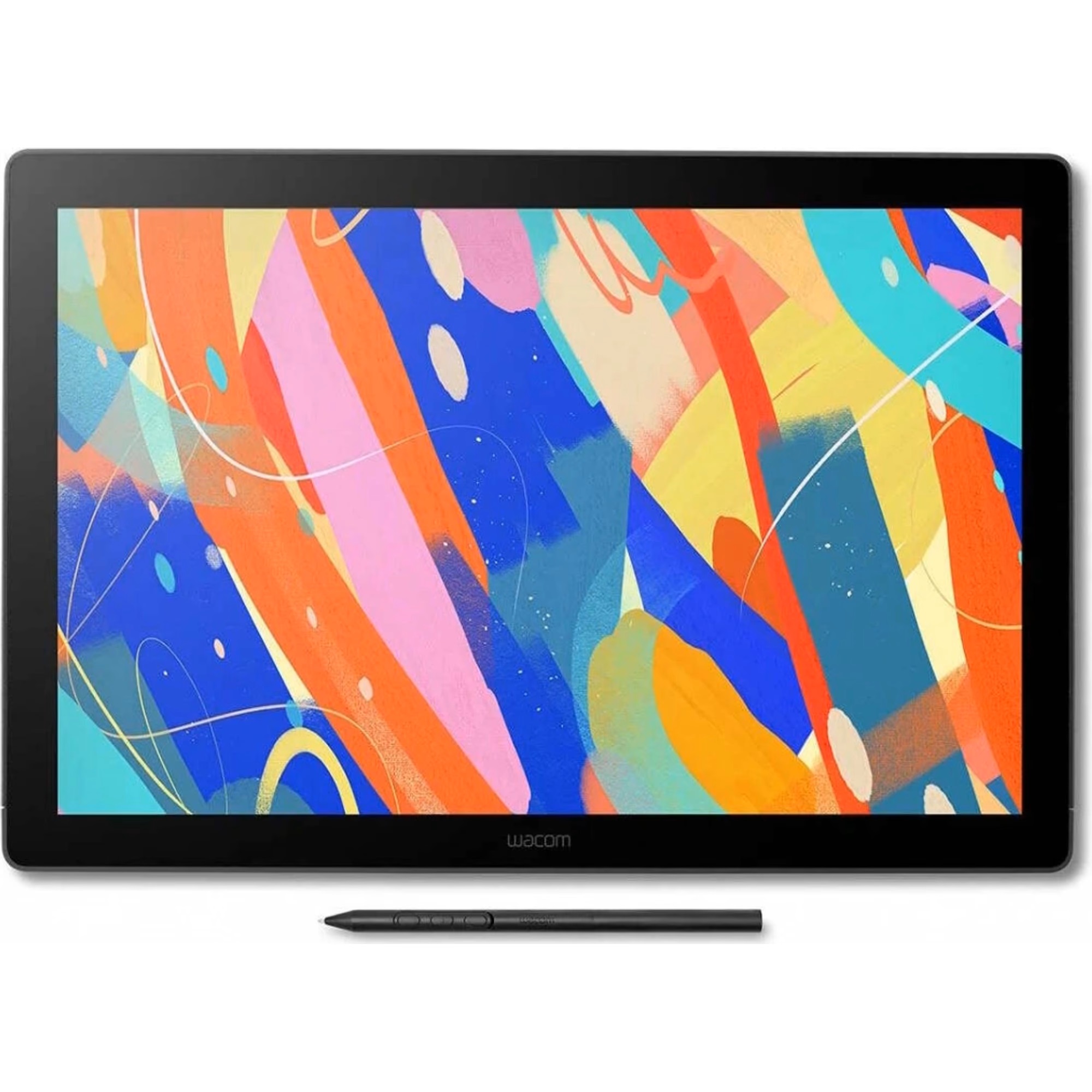
Wacom Cintiq 16" DTK168K0B
BeyTechproduct.aboutProduct
product.sku
Czhe-Cintiq16DTK
product.category
Laptops, Tablets & E-Readers
product.brand
Wacom
product.supplier
Beyston
product.weight
2kg
home.listPrice: €1113.84
20 product.inStock
discountCoupon.discountCoupons
product.otherOffersFromSellersOnBeyston
product.description
Wacom Cintiq 16 (DTK168K0B)
The Wacom Cintiq 16 (model DTK168K0B) is a 15.6″ pen‑display tablet designed for digital artists, illustrators and creative professionals who prefer to draw directly on screen. It delivers a high‑resolution 2.5K panel, accurate colour reproduction, and a streamlined form‑factor in the Wacom display tablet line. :contentReference[oaicite:1]{index=1}
Key Specifications
- Display Size & Resolution: 15.6″ (active area approx. 345 × 215 mm) with resolution 2,560 × 1,600 px (2.5K) and aspect ratio 16:10. :contentReference[oaicite:2]{index=2}
- Panel & Surface: IPS panel with anti‑glare etched glass (paper‑feel texture), brightness ~290 cd/m², contrast ~1400:1, colour gamut 99% DCI‑P3 / 100% sRGB. :contentReference[oaicite:3]{index=3}
- Pen: Wacom Pro Pen 3: 8,192 levels of pressure sensitivity, tilt support up to about 60°, battery‑free electromagnetic resonance (EMR) technology. :contentReference[oaicite:4]{index=4}
- Connectivity: USB‑C (with DisplayPort Alt mode) or HDMI + USB‑A via bundled 3‑in‑1 cable. Built‑in fold‑out feet give a ~20° angle. VESA mount compatible. :contentReference[oaicite:5]{index=5}
- Dimensions & Weight: Approx. 384 × 259 × 15 mm, weight ~2.0 kg. :contentReference[oaicite:6]{index=6}
- Active Area: ~345 × 215 mm (≈ 13.6″ × 8.5″) usable drawing surface. :contentReference[oaicite:7]{index=7}
- System Compatibility: Windows (7 or later)/macOS (10.12 or later) / Android (8.0+ with compatible host) — subject to port support for required signal. :contentReference[oaicite:8]{index=8}
Highlights & Features
- Large‑format direct‑on‑screen drawing experience: Drawing on image rather than separately looking at monitor and pad.
- High resolution 2.5K panel gives sharper detail than standard Full HD displays, beneficial for fine artwork and illustration. :contentReference[oaicite:9]{index=9}
- Colour‑accurate display: 99% DCI‑P3 / 100% sRGB ensures faithful colour reproduction for design, illustration and post‑production work. :contentReference[oaicite:10]{index=10}
- Pen technology: Battery‑free Pro Pen 3 with 8,192 pressure levels and tilt—responds well for natural brush strokes and shading. :contentReference[oaicite:11]{index=11}
- Anti‑glare, textured glass surface gives paper‑like feel, reducing reflections and improving control. :contentReference[oaicite:12]{index=12}
- Slim and relatively portable for a display tablet (~15 mm thickness, 2 kg weight) with built‑in feet to set an ergonomic angle. :contentReference[oaicite:13]{index=13}
- Single‑cable (USB‑C) option simplifies setup if your computer supports DisplayPort Alt Mode and USB power delivery. :contentReference[oaicite:14]{index=14}
Considerations / Limitations
- Requires a computer or compatible Android/light host device (it’s not a standalone tablet).
- Although more portable than larger displays, at ~2 kg and size of 15.6″ it still requires significant desk space and may not be ultra‑mobile.
- Surface finish: The etched surface gives paper‑like friction, which some users prefer—and others may find slower or requiring more pen effort than smoother glass displays. (See user feedback at Reddit). :contentReference[oaicite:15]{index=15}
- Cable / port requirements: To get full resolution you need a port supporting 2560×1600@60Hz; older computers or lesser ports/adapters may cause signal issues (“No signal” errors). :contentReference[oaicite:16]{index=16}
- ExpressKeys/shortcut buttons are minimal or absent on the device itself (you may need to add separate control accessories for heavy shortcut workflows). :contentReference[oaicite:17]{index=17}
Conclusion
The Wacom Cintiq 16 (DTK168K0B) offers a strong mid‑range pen display with high resolution, colour accuracy, and a natural pen‑on‑screen experience—ideal for digital artists, illustrators, and professionals seeking a quality drawing surface without stepping up to the highest‑end Cintiq Pro models. If you draw, paint or design with precision and want to draw directly on the screen, it’s a compelling choice.
If your work involves ultra‑large canvases, multi‑monitor setups, or you prioritise maximum portability (lighter than ~2 kg) or absolute minimum latency, you might consider comparing with larger or newer models (e.g., Cintiq Pro, or tablet with built‑in battery). But for many creative workflows the Cintiq 16 hits an excellent balance of performance and usability.
Keywords
Wacom Cintiq 16, DTK168K0B, 15.6 inch pen display, 2.5K resolution, Pro Pen 3, 8192 pressure levels, colour accuracy, drawing monitor, digital art display tablet